# Introduction
Through this short *Getting Started* coding series, you will learn the basics of creating an account, transferring HBAR, signing, and submitting transactions to the *Hedera Testnet*. The Hedera test network allows you to play with our APIs in a non-production environment. You will see how easy it is to get started with one of our [Hedera SDKs](https://dev.uniultra.xyz/docs/sdks-and-apis) in the programming language of your choice. First, you must create a Hedera Portal profile to receive test HBAR.
### Create Hedera Portal Profile (Faucet)
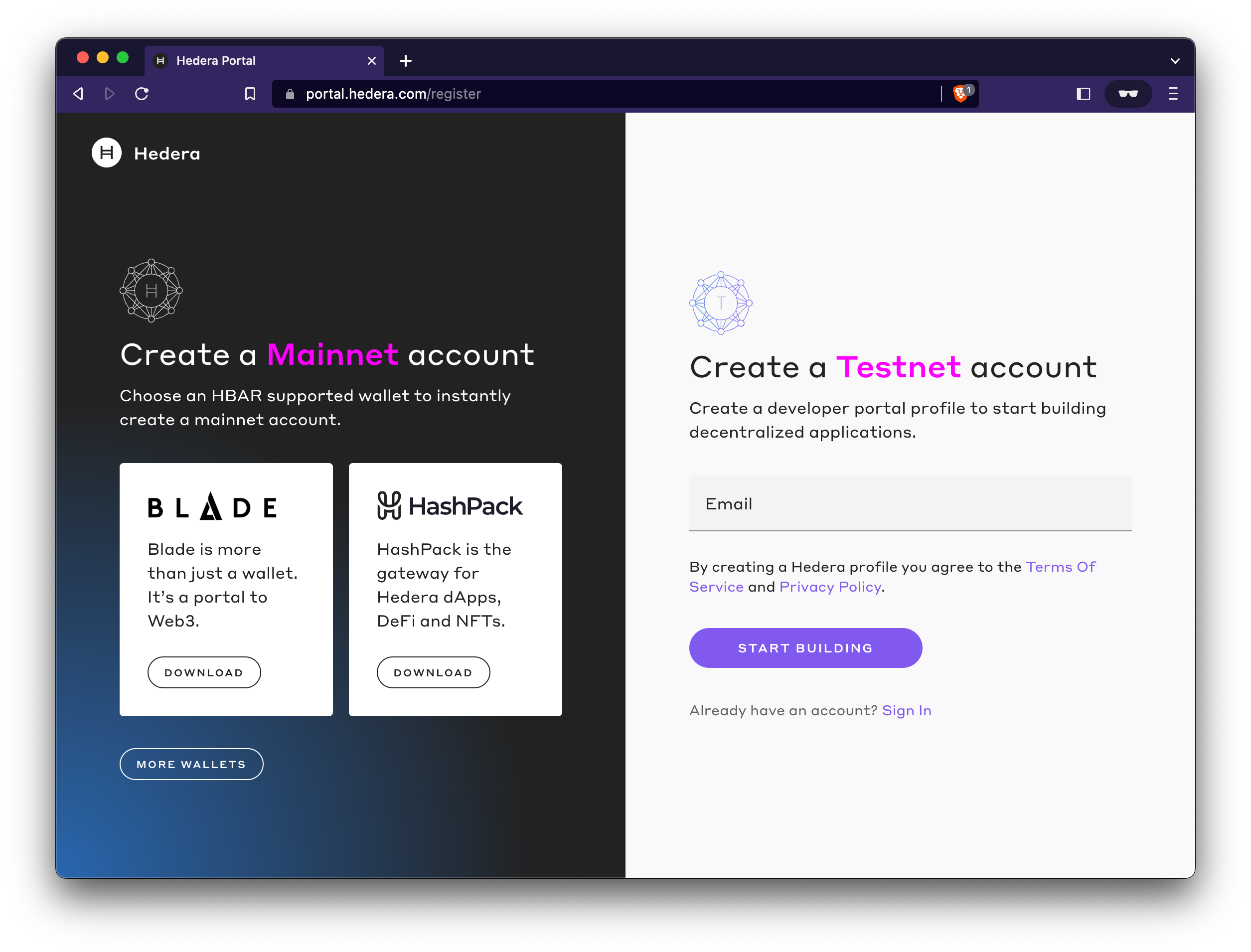
The *Hedera Testnet* account allows you to interact with our [APIs](https://dev.uniultra.xyz/docs/sdks-and-apis) and pay for the transaction fees. Visit the [Hedera portal](https://portal.hedera.com/register) to create your *Hedera Testnet* account and follow the instructions.
Once you have completed the instructions, you will receive a *Hedera Testnet* account ID (0.0.x) and your private/public key pair on your testnet page. You will need to copy over your **account ID** and the ***DER*****-encoded private key** information when you set up your coding environment in the following steps.
%20\(1\).png?alt=media)
{% hint style="info" %}
***Note:** Your Hedera Testnet account will be credited with 10,000 test* **HBAR** *upon creation that can only be utilized on the Hedera test network. Your balance will be topped up daily to 10,000 test* **HBAR** *when you use your funds.*
{% endhint %}
---
# Agent Instructions: Querying This Documentation
If you need additional information that is not directly available in this page, you can query the documentation dynamically by asking a question.
Perform an HTTP GET request on the current page URL with the `ask` query parameter:
```
GET https://dev.uniultra.xyz/docs/getting-started/introduction.md?ask=
```
The question should be specific, self-contained, and written in natural language.
The response will contain a direct answer to the question and relevant excerpts and sources from the documentation.
Use this mechanism when the answer is not explicitly present in the current page, you need clarification or additional context, or you want to retrieve related documentation sections.